Friday, October 7, 2011

Disney Mini Scrapbook Album On-Line E-Class

Ok, so I should have had this all done like, last week or earlier this week! But I confess i am a major procrastinator when it comes to stuff I don't like to do you know like laundry, or dusting or writing tutorials. Not that its hard, its just boring, ok writing tutorials, are a bit hard kinda like Algerbra (for those of us who aren't math people) or say poetry (for those of you who aren't ? I don't know what you call that) anyways, I think you get the idea. As you can see, I am quite capable of babbling on and on especially if you've been a follower for awhile and then I stray off subject and come back, like I am doing right now. So on with it I say!

I have made this adorable Mini Disney Scrapbook Album and decided to make it into a vertual on-line (e-class) class. What is a Virtual On-line/E-Class? Well its like those college classes you take on your computer, except this is a one time deal and for fun! So, since I can't come to your house and you can't come to mine cause we live so far from each other :(, I've made written instructions (the ones I procrastinated on doing) and a video tutorial, plus well the most important thing the album kit to go together on how to make this adorable Disney Mini Album.
  What does it all entail and what do you get?

  • 1 Plain Mini White 3 ring Book that measures approx. 5.5" x 8" (yes big enough to put regular pictures in! a few will need to be trimmed)
  • All The paper pieces already pre-trimmed for ease of putting it together
  • The written instructions via e-mail (1.to keep cost down & 2. to save a few trees 3.You can still choose to print it yourself) which is nice to have the instructions to make another similar book.
  • Flip-Flaps Which are photo sleeves to add extra pictures in the book, if you don't get it don't worry once you see the video you will just LOVE Them!
  • All the embellishments needed (not all shown in finished pages cause there is a few bonus features to finishing the book!)
  • Of course that includes the ribbon 

Basically everything you need to assemble the mini Scrapbook album with the exception of adhesive that is the one thing you will need to supply yourself, oh and ink pads if you choose to Ink the edges of the papers as I am leaving that as an option since not everyone like that technique.

Here are some visual aids for you to see what you will be making! (if you haven't already seen on my facebook fan Page)

Cover

Page 1

Page 2 & 3

Page 4 & 5

Page 6 & 7

Page  8 & 9

Page 10
Page 10 showing a Flip Flap

Page 11


Page 12 & 13

Page 14 Pocket page w/3 Pull out tags

Page 15

Page 16 & inside back Cover
How do you sign up? Simple Just click the BUY IT NOW paypal button below to reserve your Mini Album Kit. There are sadly Limited quantities :(  I only Have 20! The nice thing is I am giving the option of a Donation of only $2 for the instructions and link to the video tutorial so you can still make a book but will have to find your own supplies. I am looking thru my papers to see if I have enough papers to give an option of the Kit w/out the book. Sadly, the book is discontinued from CTMH :(  So If I can find enough papers because many are discontinued papers too I will have a new post offering that as an option. I wish I could have more or knew they were discontinuing this cute book :(  See what happens when you procrastinate! if I had come up with this idea with these books when I first ordered them for a gathering (that got canceled :( ) I would be able to have ordered more! So Hurry before they are sold out!
However, the great news is all the profits are going to help My family & I pay off my ever growing medical bills. I just realized yesterday when i was filling out more paperwork to see yet another Doctor that I am coming up on 4 years! WoW! It took this long to finaly sink in and hit me with the reality of realtity of this life long situation!
~~~~~~~~~~~~~~~~~~~~~~~~~~~~~~~~~~~~~~~~~~~~~~~~

The Cost is $25 for the Disney Mini Album Full Kit (You supply your own adhesive and ink pads) with $5 Priority shipping within the US ONLY!  


Until Next Time...
Happy Crafting
TTFN Jill (aka The Scrapoholic)

Monday, October 3, 2011

MTC/SVG Monday

Today's Files are more for "Signs" Halloween ones though :) 
but I'm sure with the craftiness they could be made into other things too!


Design Team Inspiration


Please head over to the Design Team Blogs and see more on their awesome inspirational work. They work just as hard on their projects as I do on making the files and I know the'd love some lovin'.  Even if you just checked one of the boxes under their posts about how you feel. It only takes a minute to put a smile on someone's face.  Thanks


I have put all the files into a ZIP format file contains all of the images in MTC, SVG, EPS/AI File Formats.

Freebies expire after awhile and are removed as a Free download.

Sorry Freebie Has Expired

Check For $ale Tab or My Etsy Store for Possible Purchase


Until Next Time...
Happy Cutting!
TTFN Jill aka The Scrapoholic

Saturday, October 1, 2011

Sketchy Saturday!


A Sketch is an “idea” or “inspiration” to get a layout or card done. You can turn the sketches 90* either way or 180* to get a different “look” add a little more embellishments, use different embellishments or shapes to fit your pictures.
 Below the Sketches you will find a “Sneak Peak” of the Design Team inspiration this week, below each inspiration picture is the Design Team Members name! Simply click their name to go to their blog, facebook fanpage, online gallery to see the full Inspiration.

Layout Sketch:


Card Sketch:


Design Team Inspiration:

Please take a moment and visit each of their Blogs/fanpages and leave them some loving words on their hard work on thier wonderful inspiration, they would love to hear from you and how you enjoy their work. Thanks.


If you are inspired to get a card or layout done you can add a link to yours below. I love to see what others do with my sketches. 

Until Next time...
Happy Crafting!
TTFN Jill aka The Scrapoholic


Powered by Linky Tools
Click here to enter your link and view this Linky Tools list...

Wednesday, September 28, 2011

MTC/SVG Monday ~ even though its Wednesday!

Better late than never right? I do apologize for this not posting on Monday, I never finished uploading the pictures cause blogger was being a booger and I had an early appt. at the pain clinic, which we later found out was the a rehabilitation clinic, wrong place but had went thru the whole examination and telling the whole story and of course these doctors always have to check my reflexes and needless to say I am still recovering and it took everything for my husband not to get out the chair and do who knows what to the Doctor. But hopefully at the right Pain Clinic they will listen and I'll be better by then which is Oct. 10th.


Since I just LOVE Halloween and Disney I have a few more Images for you. These images are copyright and owned by Disney, I just simply colored them and made cut files out of them but Disney is the sole ownership of the original images.  If you do open the MTC files you will need to have the updated version of MTC, I must have opened them to check them and saved them in the newer version. I usually double check the files are complete and ready to share before uploading. I have the info below of the Updated version below. If you have SCAL or use the SVG files you won't need to worry.

MTC Update! 4.0.2 Beta Download Version 4.0.2Click Here.


The Cut Files for this week are:
Disney HalloweenTime Files :)
Please Don't share my files, please send people here to my blog for the links. Thank you

Minnie and Mickey behind the pumpkin

Pirate Mickey


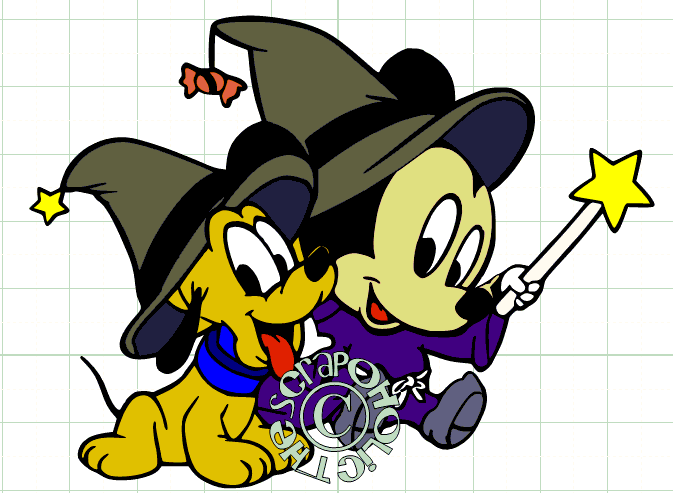
Mickey and Pluto as witches

Minnie as a Witch

I have put all the files into a ZIP format file contains all of the images in MTC, SVG, EPS/AI File Formats.
Freebies expire after awhile and are removed as a Free download.

Sorry Freebie Has Expired

Check For $ale Tab or My Etsy Store for Possible Purchase


If you enjoy my files and would like to make a donation for my hard work and time, I'd greatly appreciate it, just click the paypal button below or on my side bar. If you can't afford anything at this time, I understand that too, but it would be greatly appreciated if you left a simple "Thanks" in the comment section. 

Donation button


 Until Next Time...
Happy Cutting!
TTFN Jill aka The Scrapoholic


Saturday, September 24, 2011

Sketchy Saturday!

A Sketch is an “idea” or “inspiration” to get a layout or card done. You can turn the sketches 90* either way or 180* to get a different “look” add a little more embellishments, use different embellishments or shapes to fit your pictures.
 Below the Sketches you will find a “Sneak Peak” of the Design Team inspiration this week, below each inspiration picture is the Design Team Members name! Simply click their name to go to their blog, facebook fanpage, online gallery to see the full Inspiration.

Layout Sketch:

Card Sketch:


Design Team Inspiration:
Please take a moment and visit each of their Blogs/fanpages and leave them some loving words on their hard work on thier wonderful inspiration, they would love to hear from you and how you enjoy their work. Thanks.

Sneak peak at Jann's card see full card -->Jann's Blog HERE 

Sneak peak at Jann's card see full card -->  Jann's Blog HERE 


Sneak peak at Sarah's Layout see full Layout -->  Sarah's Blog HERE


If you are inspired to get a card or layout done you can add a link to yours below. I love to see what others do with my sketches. 

Until Next time...
Happy Crafting!
TTFN Jill aka The Scrapoholic

Monday, September 19, 2011

MTC/SVG Monday

I've been slacking a bit on my every Monday getting a file out. This summer has not been much fun. Things are slowly settling down but still lots going on. Since my external hard Drive is still waiting to be fixed :(  which holds all my files and my other computer crashed and no longer has all my files. I've had to start from scratch. I am lucky that I have many older files stored online, the ones I have for sale. In any case, I have been playing around a bit in MTC and one set of files I have been dilagently working on still needs work they are being lil buggers but Since I just LOVE halloween I found some great Disney Images for you. These images are copyright and owned by Disney, I just simply colored them and made cut files out of them but Disney is the sole ownership of the original images.  If you do open the MTC files you will need to have the updated version of MTC, I must have opened them to check them and saved them in the newer version. I usually double check the files are complete and ready to share before uploading. I have the info below of the Updated version below. If you have SCAL or use the SVG files you won't need to worry.

MTC Update! 4.0.2 Beta

MTC is improving again! I just LOVE MTC!

Custom Mat Sizes
- Add custom mat size from the Mat Size combo box.
- Remove custom mat size by selecting mat then hitting delete key.
- No more "Please Wait... Rendering Mat" messages. Mats render extremely fast.
- Zoom from 10% all the way up to 1000% in a split second.
- Ctrl+Mouse-Wheel zoom now zooms centered.
- Create any size mat with custom Margins/No Cut Zones.
- Dark Blue mat has been replaced with Purple. Pink mat colors updated.
- Option to hide/show No-Cut-Zone margins.

Multi-Layered Conical Warp
- Create multiple layered/colored conical warps -- preview in color in un/rolled view.

Texture Sizing Simplified
- Holding your shift-key while sizing a shape from the corners will scale the textures properly.
- "Scale Paths" option added to the Select Texture dialog's Scale option.

Fuse-N-Weld Updated
- Completly rewritten
- Allows for customizable tolerance
- Note: Make sure to join the segments together before fusing them

Node Editing Tools
- Toggle tools by hitting the 'W' key, View>>Node Mode or clicking the Node icon in the upper right-hand of mat.
- Node Edit Tool: Edit line segments, Bezier segments, Bezier control points, Bezier/Line paths, insert/delete nodes, etc. (be sure to use right-click menu)
- Basic Shape Tool: Add basic shapes by clicking and dragging
- Bezier Draw Tool: Draw Bezier curves (Fat Path option included)
- Freehand Line Draw Tool: Draw freehand lines. Hold CTRL key to draw straight lines (Fat Path option included)
- Measure Tool: Measuring tape and protractor.
- Eraser Tool: Erase parts of paths easily (Inverse eraser option included)
- Knife Tool: Slice and dice paths.
- Select tools using hotkeys: F1-F8

Other:
Raster Image File Dialog Paste Button: Copy and paste images from Windows Explorer.
Reverse Paths option added to Advanced
Welding of Open Paths fixed
Simplifiying of Open Paths fixed
EPS importing fixed for certain files
MANY, MANY bug fixes.

4.0.1 Update:


Fixes crash when closing out a single project after node-mode was enabled.
All knot keywords have been replaced with the node keyword.


4.0.2 Update:


Fixes more crashes when closing out projects after node-mode was enabled.
Arrow keys now nudge line segments (Ctrl+arrow keys does a nudge X 20).
Clipboard fixes.

Download Version 4.0.2Click Here.

~~~~~~~~~~~~~~~~~~~~~~~~~~~~~~~~~~~~~~~~~


The Cut Files for this week are:
Disney HalloweenTime Files :)
Please Don't share my files, please send people here to my blog for the links. Thank you

Minnie and Mickey behind the pumpkin


Pirate Mickey


Mickey Pumpkin
Freebies expire after awhile and are removed as a Free download.

Sorry Freebie Has Expired

Check For $ale Tab or My Etsy Store for Possible Purchase


Design Team Inspiration


If you enjoy the Design Team Inspiration, please stop by thier blogs by clicking thier names under their projects photos and leave them some kind words. If you enjoy my files and would like to make a donation for my hard work and time, I'd greatly appreciate it, just click the paypal button below or on my side bar. If you can't afford anything at this time, I understand that too, but it would be greatly appreciated if you left a simple "Thanks" in the comment section.

Donation button


Until Next Time...
Happy Crafting
TTFN Jill aka The Scrapoholic

01 09 10